
Frictionless Security

The Verification Process

Adding security right into your existing daily workflow. Rapidly introduce two-factor verification to your Salesforce or Redtail CRM with direct integration or add support for our extensive list of CRMs that support the browser extension.

Two-factor authentication in client workflow
✓
Wire Fraud Protection Securing transactional requests instantly
2 Methods Same Protection

DTS Verify has two seamless methods for adding security to your workflow

Direct integration and browser extension integration. Read more about each method below.

Method 1: Browser Extension Breakdown

How the DTS Verify browser Extension Functions

The browser extension is available for all supported CRMs.

Method 2: Integrated CRMs

How the DTS Verify integration works to keep you secure.

Redtail CRM and Salesforce are both integrated partners.

01. Seamless CRM Integration

DTS Verify serves as a highly specialized product that allows you to rapidly add two-factor authentication to your Salesforce or Redtail CRM clients.
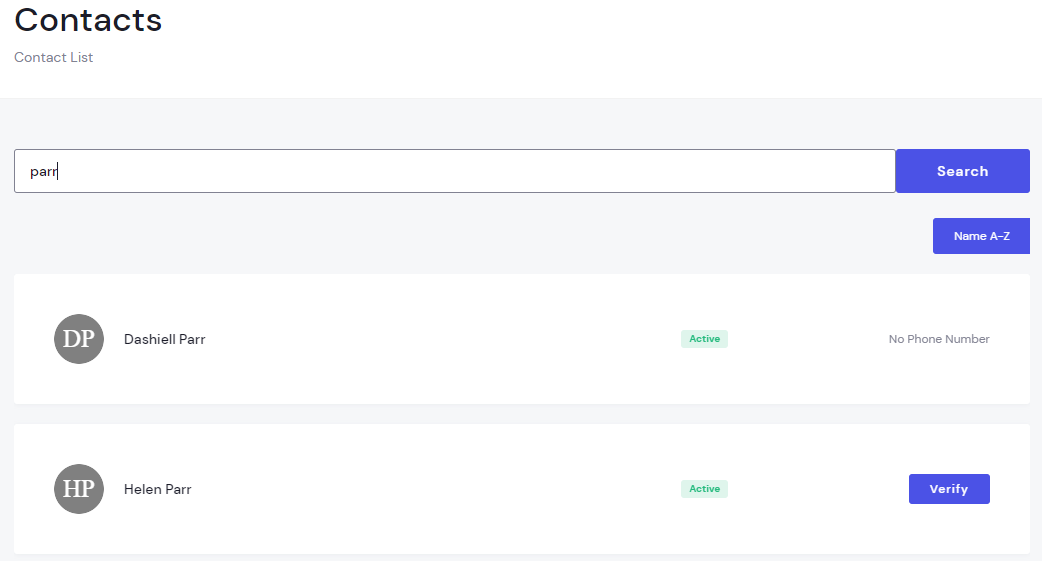
  • Instantly searches directly from your Redtail CRM or Salesforce database
  • No cached data, ensuring real-time information
  • Maintains your standard operational procedures
CRM Integration Contacts Screen

02. Quick Client Selection

After concluding your normal knowled based verification, simply look up the client's name directly in the DTS Verify search box and trigger the verification instantly.
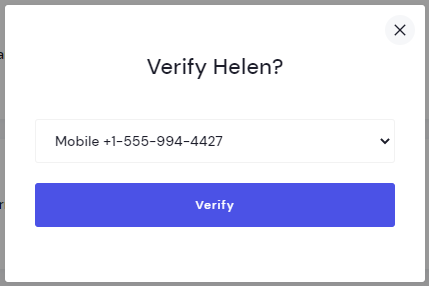
  • Available verification methods instantly displayed
  • Single-click verification triggering
  • Reduces manual entry errors across teams
Verify Screen Client Lookup View

03. Secure Channel Routing

You will immediately be prompted to select the verified phone number or email routing pathway on file for that specific client. Once confirmed, a dynamic validation token is sent instantly.
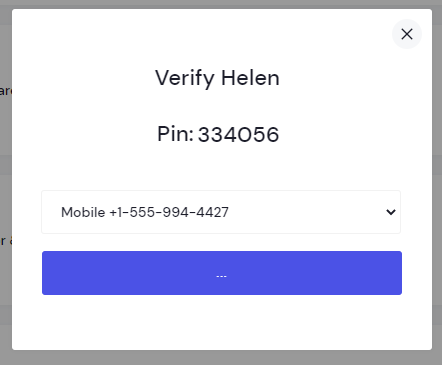
  • Pulls active data cleanly from verified records
  • Sends instant out-of-band text messages
  • Secure and automated delivery infrastructure
Verify Code Channel Selection Screen

04. Real-time Authentication

Your client receives the validation code on their mobile device or email client. If they repeat the verification code that matches the one sent then your validation process is finished.
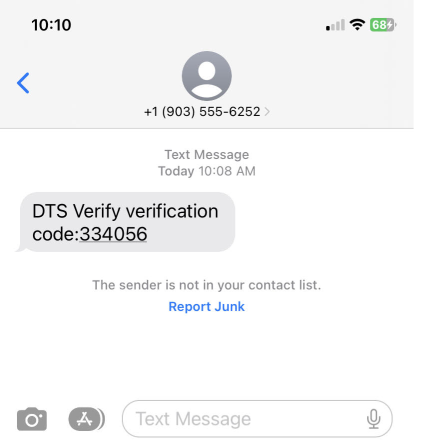
  • Real-time verification validation loops
  • Frictionless experience for both advisors and clients
  • Automatically added to verification history log
Client Mobile Device Text Message Screen

Ready to add an extra layer of wire fraud protection?

Start protecting your clients, your firm's assets, and your brand reputation today.