




DTS Verify is proud to announce a browser extension that is compatible with Google Chrome and Microsoft Edge. The extension scans your CRM pages for contact information to allow you to rapidly send a verification code to the selected contact.
In a world where identity theft is rampant, it is more important than ever to verify your clients before taking financial actions. Because knowledge-based authentication is no longer secure enough, adding two-factor authentication with our browser extension is essential.
If you use the DTS Verify browser extension, you’ll enjoy these features:
Here are some screenshots of the extension in action:
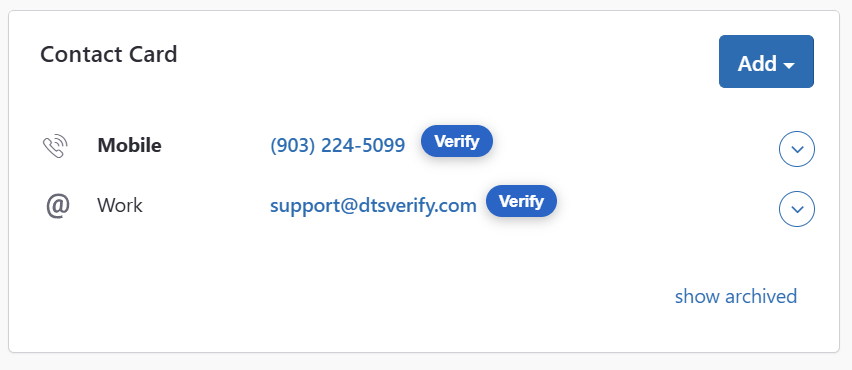
The DTS Verify browser extension adds the blue verification bubbles next to phone numbers and email addresses within your CRM. Clicking a bubble will open a popup, like the one shown below, that allows you to send a verification code to the selected contact.
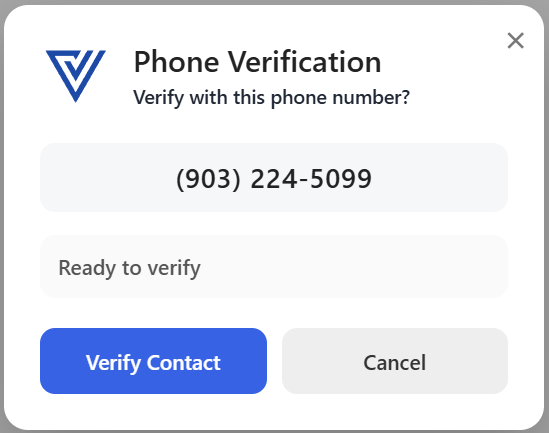
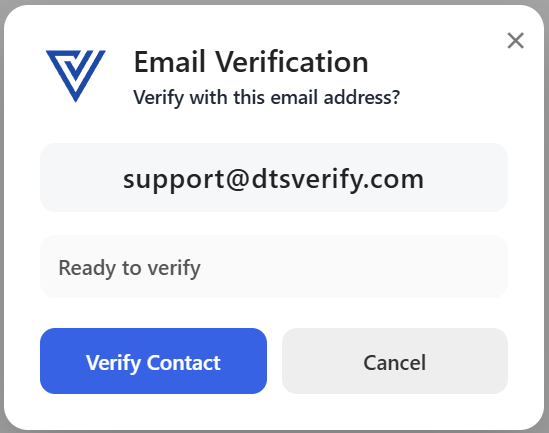
The DTS Verify popup will display the contact details and let you send the verification code. Once sent the popup will show the verification code that was sent so you can verify it.
To download the DTS Verify browser extension, you can login to your account and go to the extension page to find the download link. The extension is compatible with both Google Chrome and Microsoft Edge.
Ready to add two-factor authentication to your browser? Sign up
Still have questions?
Contact us at support@dtsverify.com